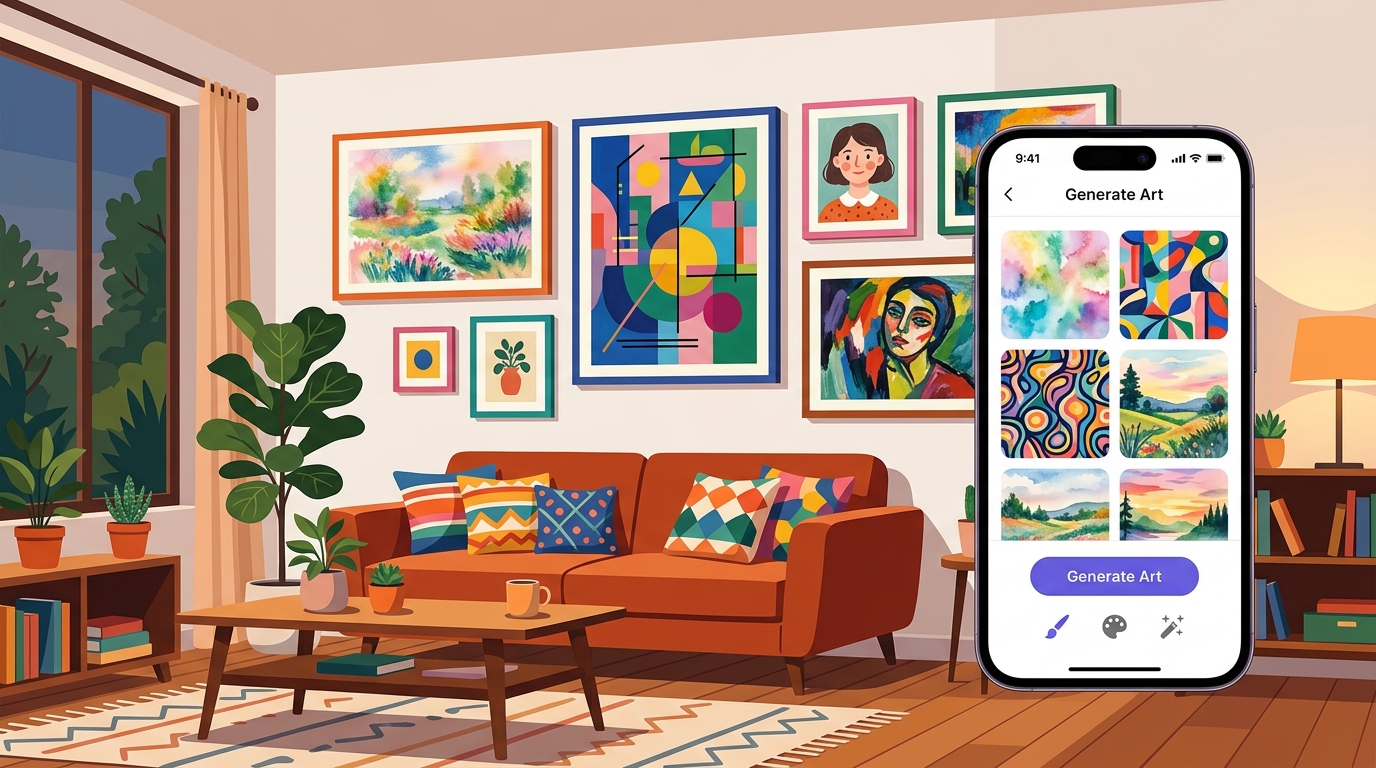
Custom wall art used to mean commissioning an artist or spending hours on Etsy scrolling through thousands of prints hoping to find something that fits your room. AI art generators have changed that. You describe what you want, pick a style, and get a painting in seconds. Some of these apps can even show you how it looks on your actual wall before you order a print.
The problem is that most AI art apps are built for social media, not your walls. They generate small, low-resolution images designed for Instagram posts, not 24x36 inch canvas prints. And many of them bury the good stuff behind expensive subscriptions.
I tested every AI art generator on the App Store that claims to produce wall-ready output. Here are the five that actually deliver.
Quick Comparison
| App | Painting Styles | Room Preview | Print-Ready Resolution | Price |
|---|---|---|---|---|
| Wallora | 15 | Yes (10 rooms) | Yes | Free + subscription |
| WOMBO Dream | 20+ | No | Partial | Free + $89.99/yr |
| starryai | 10+ | No | Yes | Free + $47.99/yr |
| Wonder | 15+ | No | Partial | Free + $69.99/yr |
| Canva | 10+ (via AI) | No | Yes | Free + $119.99/yr |
1. Wallora

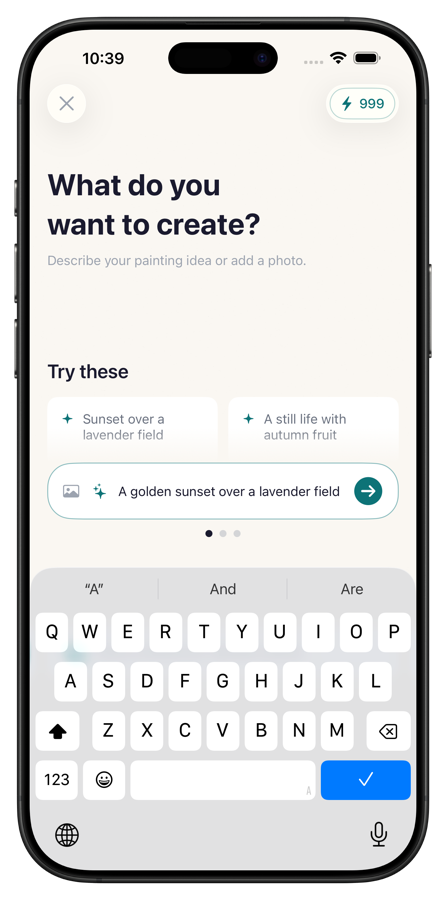
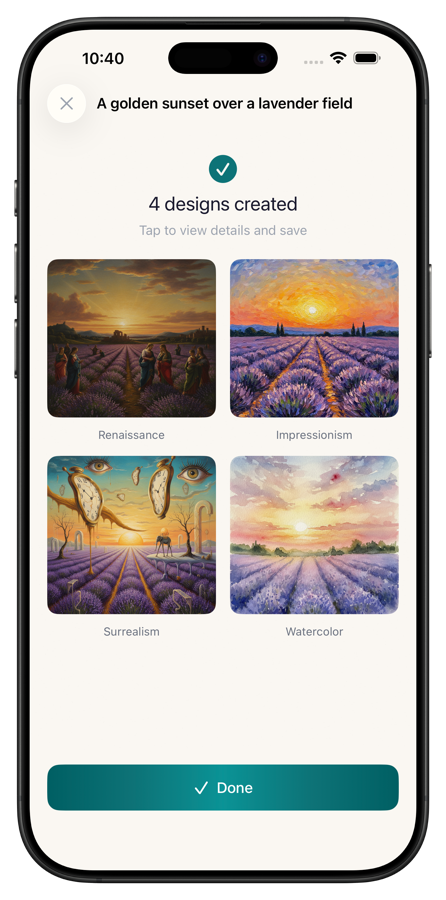
What it does: Wallora is an AI art generator built specifically for wall art. You describe a scene, pick one of 15 painting styles, and the app generates artwork you can preview in 10 realistic room environments before printing. It's the only app on this list designed from the ground up for physical wall art rather than social media.

Key features:
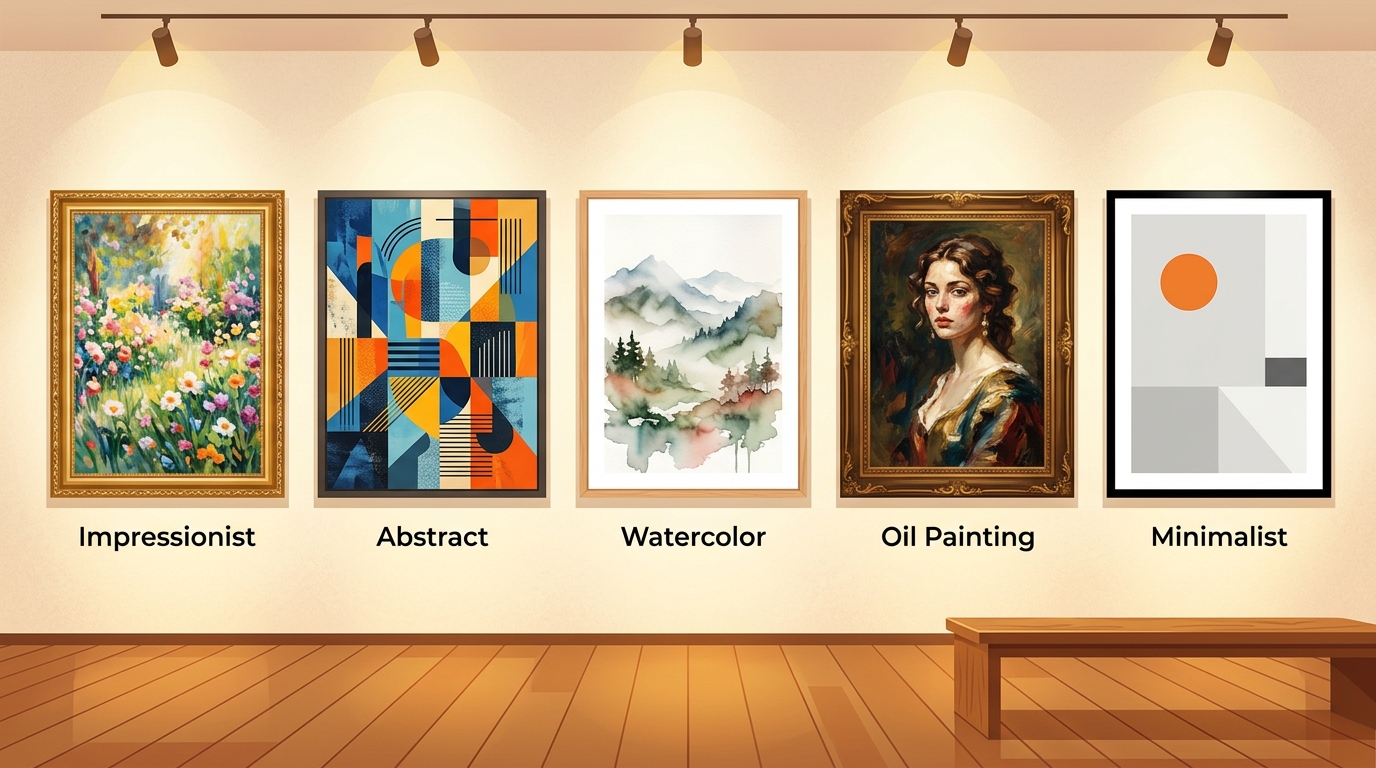
- 15 painting styles: Impressionist, Abstract, Watercolor, Oil, Minimalist, Pop Art, and more
- 10 room preview environments (living room, bedroom, office, dining room, etc.)
- High-resolution output suitable for professional printing
- Extract artwork without the frame overlay for clean print files
- Favorites and generation history
- 3 free credits, no account required
Pricing: 3 free generations to start. Subscription unlocks unlimited use (weekly or yearly plans).
Best for: Anyone who wants to go from "I have a blank wall" to "I have a framed painting" in under five minutes.
Pros:
- Room preview is the killer feature. Seeing a painting on an actual wall changes how you evaluate it
- 15 styles are all distinct and well-tuned. The Impressionist and Oil outputs are especially convincing
- High-res output means you can print at large sizes without pixelation
- Frame extraction tool saves you from cropping manually
- 3 free credits let you try it properly before committing
Cons:
- Subscription required for regular use (free credits run out fast)
- No photo-to-painting feature (text prompts only)
- Can't upload a reference image to guide the style
- Room previews are pre-set environments, not photos of your actual room
2. WOMBO Dream

What it does: WOMBO Dream is one of the original AI art generators on mobile. It takes a text prompt and optional reference image, then generates artwork in various styles. It has a massive user base and a huge variety of artistic styles.
Key features:
- 20+ art styles including fantasy, anime, psychedelic, and realistic
- Reference image input (upload a photo to influence the output)
- Community gallery of user-generated art
- Print shop integration for ordering physical prints
- High-res upscaling (premium)
Pricing: Free with watermarks and limited daily generations. Premium at $89.99/year.
Best for: Experimentation and social sharing. Great for trying lots of different styles quickly.
Pros:
- Huge style variety covering everything from baroque to cyberpunk
- Reference image feature adds meaningful control over output
- Community gallery is good for inspiration
- Quick generation times
- The free tier is actually usable for casual experimentation
Cons:
- $90/year is expensive for a generation tool
- Output resolution varies. Not all results are truly print-ready at large sizes
- No room preview feature
- Watermarks on free-tier images
- The app pushes premium aggressively
- Many styles lean toward digital/fantasy aesthetics rather than traditional painting looks
3. starryai

What it does: starryai is an AI art generator focused on giving users more control over the generation process. You can adjust aspect ratios, choose between different AI models, and fine-tune parameters like style strength and detail level.
Key features:
- Multiple AI models to choose from (different strengths for different styles)
- Granular control over generation parameters
- Custom aspect ratios (useful for matching frame sizes)
- High-resolution output up to 2048x2048
- 5 free daily credits
- Full ownership of generated images
Pricing: 5 free credits per day. Pro at $47.99/year for unlimited generations and higher resolution.
Best for: Users who want technical control over the AI generation process.
Pros:
- 5 daily free credits is generous compared to most competitors
- Full ownership of generated images, even on free tier
- Custom aspect ratios mean you can generate art sized for specific frames
- Multiple AI model options give you real stylistic range
- Parameter controls let you dial in exactly what you want
- Pricing is more reasonable than WOMBO Dream
Cons:
- No room preview feature
- The interface can feel overwhelming with all the technical options
- Some AI models produce better results than others (trial and error required)
- No built-in print integration
- Quality is inconsistent. Some generations are stunning, others miss the mark
4. Wonder

What it does: Wonder focuses on speed and simplicity. Type a prompt, pick a style, and you get results in seconds. The app emphasizes ease of use over technical control, making it accessible to people who aren't interested in tweaking parameters.
Key features:
- 15+ art styles (painting, digital art, illustration, etc.)
- Very fast generation times
- Simple interface with minimal learning curve
- Photo-to-art conversion
- Prompt suggestions and templates
Pricing: Free with limited daily uses. Premium at $69.99/year.
Best for: Casual users who want quick results without a learning curve.
Pros:
- Probably the fastest generator on this list. Results in under 5 seconds
- Interface is genuinely simple. No confusing parameters
- Photo-to-art conversion works well for transforming personal photos
- Prompt suggestions help beginners get started
- Good variety of painting-style outputs
Cons:
- $70/year is steep for what you get
- Output resolution isn't always sufficient for large prints
- No room preview
- Limited control over the generation process
- Free tier is very restrictive
- Many styles overlap and produce similar results
5. Canva
What it does: Canva is primarily a design platform, but its AI image generator (Magic Media) can produce wall-art-quality images. The advantage is that you can then use Canva's design tools to adjust sizing, add borders, and prepare print-ready files.
Key features:
- AI image generation via Magic Media
- Full design suite for post-processing (resize, crop, add borders)
- Print-ready export at any custom dimension
- Canva Print integration for ordering physical products
- Millions of templates and design elements
- AI styles including painting, watercolor, and illustration
Pricing: Free with limited AI generations. Canva Pro at $119.99/year for unlimited everything.
Best for: People who already use Canva and want AI art generation as part of a larger design workflow.
Pros:
- The design tools after generation are unmatched. Resize, add borders, adjust colors, all in one app
- Canva Print lets you order physical prints directly
- You can generate art and create a complete print-ready file without leaving the app
- Huge user community with shared templates
- Print quality is reliable through Canva's print service
Cons:
- $120/year is the most expensive option on this list
- AI art generation is just one feature of a massive platform. It can feel buried
- The AI image quality is good but not as refined as dedicated art generators
- No room preview for wall art specifically
- The learning curve for Canva itself can be steep if you've never used it
- Overkill if you only want AI-generated paintings
What to Look for in a Wall Art Generator
A few things separate apps that produce real wall art from apps that produce phone wallpapers.
Output resolution is non-negotiable. If you want to print at 24x36 inches (a common poster size), you need at least 7200x10800 pixels at 300 DPI. Most AI generators don't produce images anywhere near that size. Look for apps that explicitly mention print-ready resolution or high-res output. Wallora and starryai both prioritize this.
Painting styles should look like paintings. Many AI art generators lean toward digital illustration or fantasy aesthetics. If you want something that looks like it could hang in a gallery, test the Impressionist, Oil, and Watercolor styles specifically. These should have visible brushwork texture and natural color palettes, not the hyper-saturated look common in AI art.
Room preview saves wasted prints. A painting that looks great on your phone screen can look completely wrong on your wall. The colors might clash with your furniture, or the scale might feel off. Wallora's room preview feature lets you test this before spending money on printing and framing.
Consider the full cost. The subscription price is just the start. You also need to factor in printing ($15-50 depending on size and material) and framing ($20-100+ from places like IKEA or a custom framer). An app that costs $3/month but produces print-ready files at the right dimensions saves you from needing to upscale or reformat later.
The Verdict
Want wall art specifically? Get Wallora. It's the only app designed for physical wall art, with room previews, print-ready resolution, and 15 painting styles that actually look like paintings. The free credits let you test it first.
Want maximum style variety? WOMBO Dream has the widest range of aesthetics, though many lean more digital than painterly.
Want technical control? starryai gives you the most parameters to adjust, plus 5 free daily credits and full image ownership.
Already use Canva? The Magic Media feature plus Canva's design tools make a solid end-to-end workflow for creating and printing wall art.
For most people starting from scratch, Wallora is the answer. You describe what you want, pick a style, preview it on a wall, and export it for printing. That's the complete workflow in one app.