Shrink PDFs
Up to 90% Smaller
Mino compresses your PDF files without sacrificing quality. All processing happens privately on your device. No uploads, no cloud, no worries.
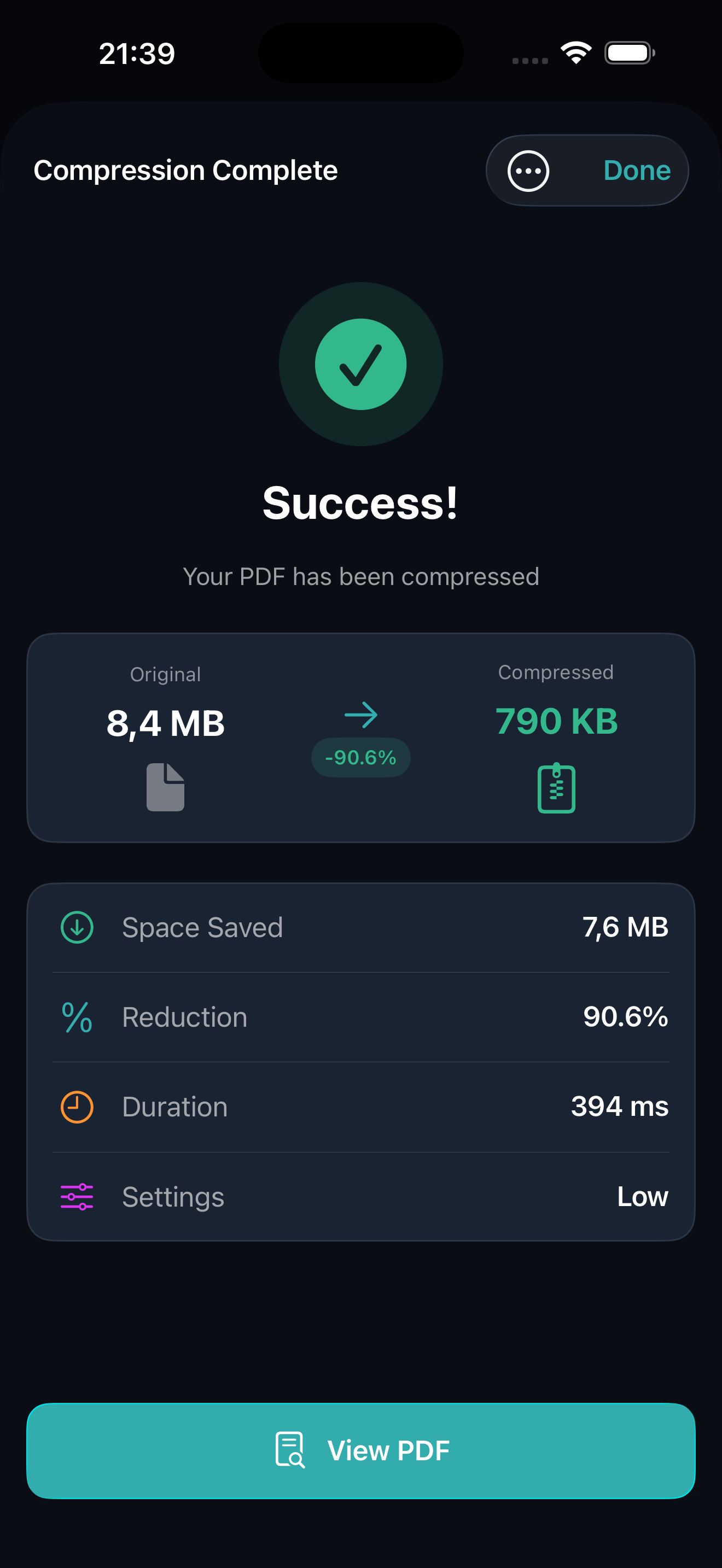
Mino is a free PDF compression app for iPhone that reduces file sizes by up to 90% while maintaining visual quality. All processing happens entirely on your device, with no uploads, cloud servers, or internet connection required. The app offers three compression presets (Light, Medium, and Strong) so you can balance between file size and visual fidelity based on your needs. Mino includes a built-in PDF viewer for checking results before sharing, and a Share extension that lets you compress files directly from other apps without opening Mino first. The app works with iOS 17.0 and later, supports unlimited compressions with no file size limits, and is completely free with no ads, no in-app purchases, and no subscriptions. Mino collects zero user data and requires no account to use. It is published by Applestan, an independent iOS development studio based in the Netherlands.
What Can Mino Do?
Powerful PDF compression with complete privacy and simplicity.
Up to 90% Compression
Dramatically reduce PDF file sizes while maintaining visual quality. Perfect for email attachments and uploads.
Three Quality Presets
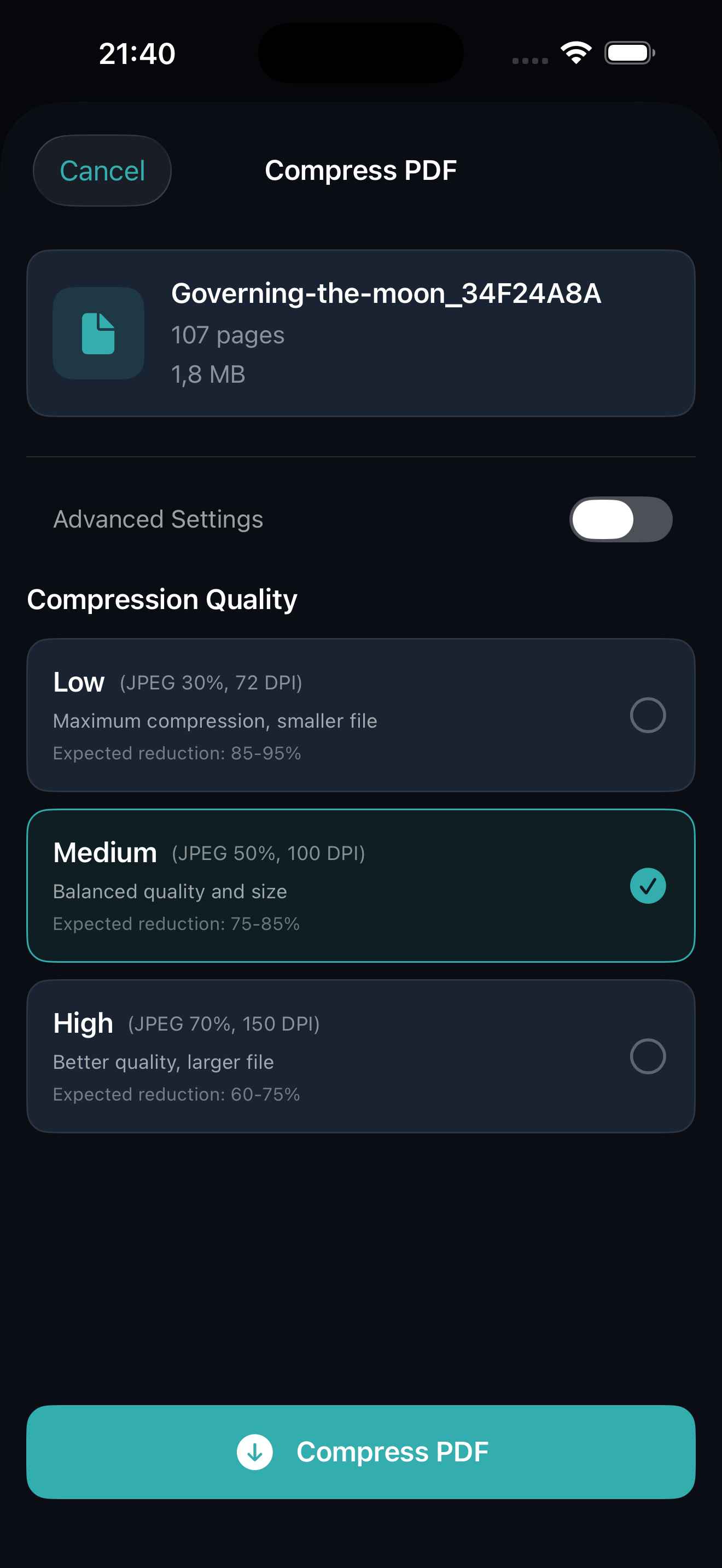
Choose High, Medium, or Low compression based on your needs. Balance between file size and visual fidelity.
Built-in PDF Viewer
Preview your compressed PDFs before saving. Zoom, scroll, and navigate through pages with ease.
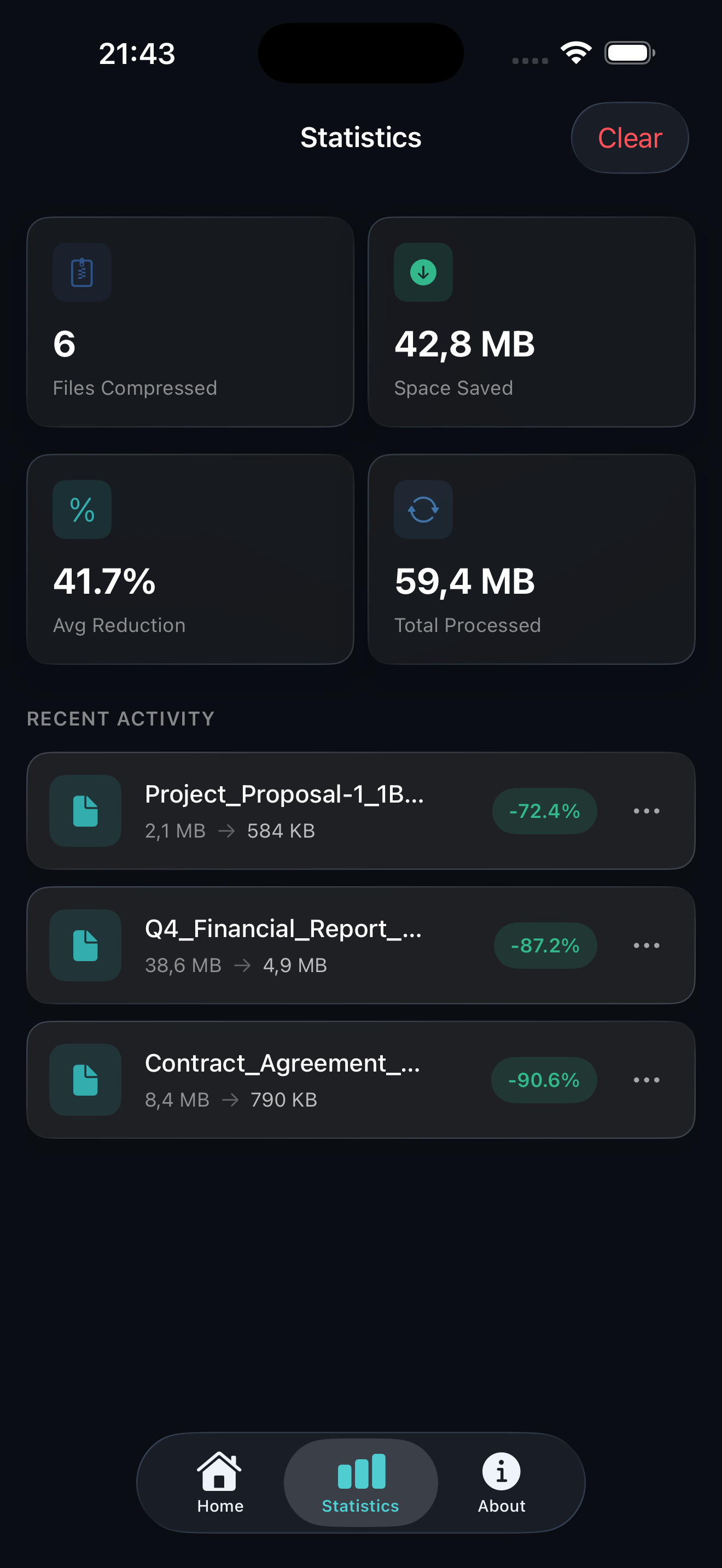
Statistics Tracking
See your total files compressed, space saved, and average reduction rate. Track your compression history.
Share Extension
Compress PDFs from any app: Files, Safari, Mail, and more. Just tap Share and select Mino.
Multiple Export Options
Share via AirDrop, email, Messages, or save directly to Files. Your compressed PDFs, anywhere you need them.
How Does Mino Work?
Compress any PDF in seconds. No account required.
Select Your PDF
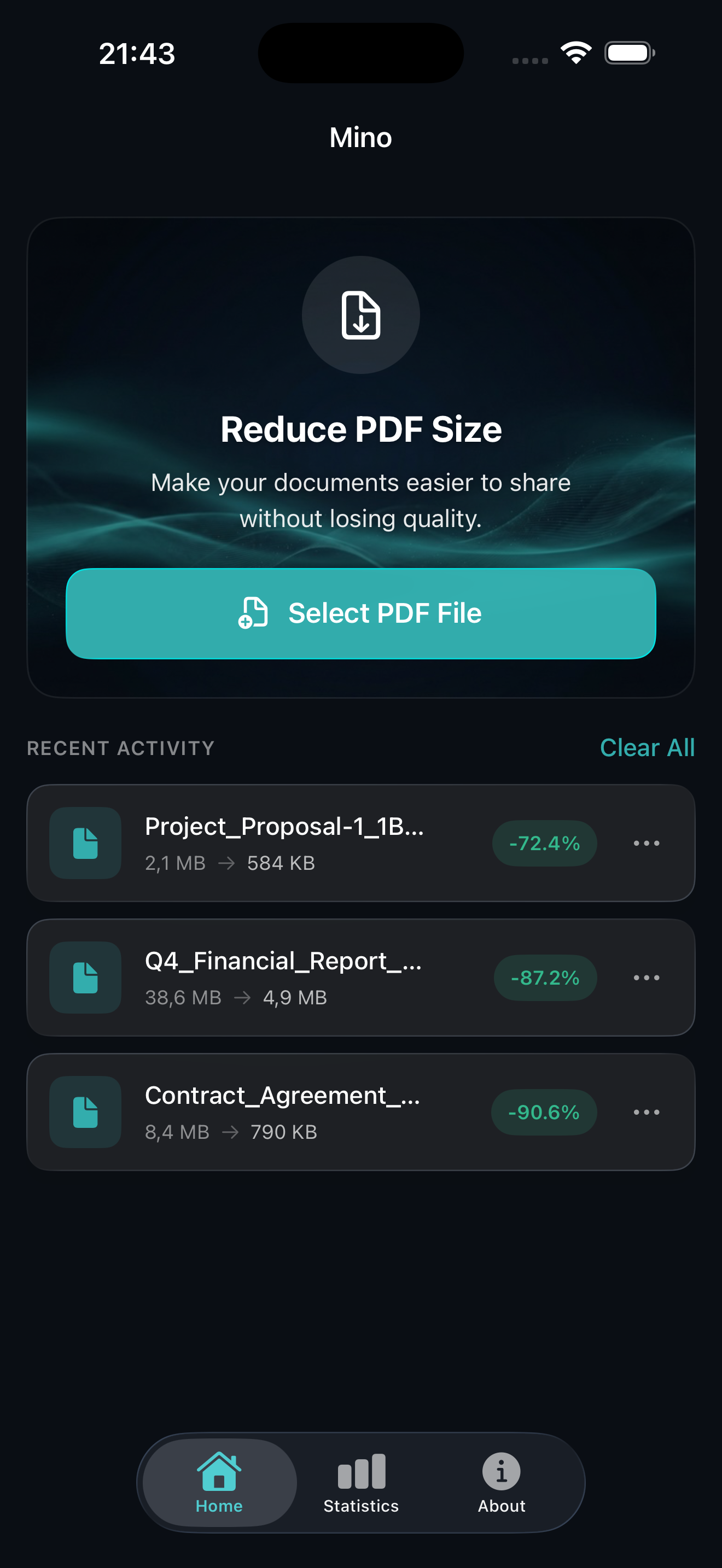
Open Mino and choose a PDF from your device or use the Share extension.
Choose Quality
Pick High, Medium, or Low compression based on your needs.
Save & Share
Preview the result and export via AirDrop, email, or save to Files.
See It In Action
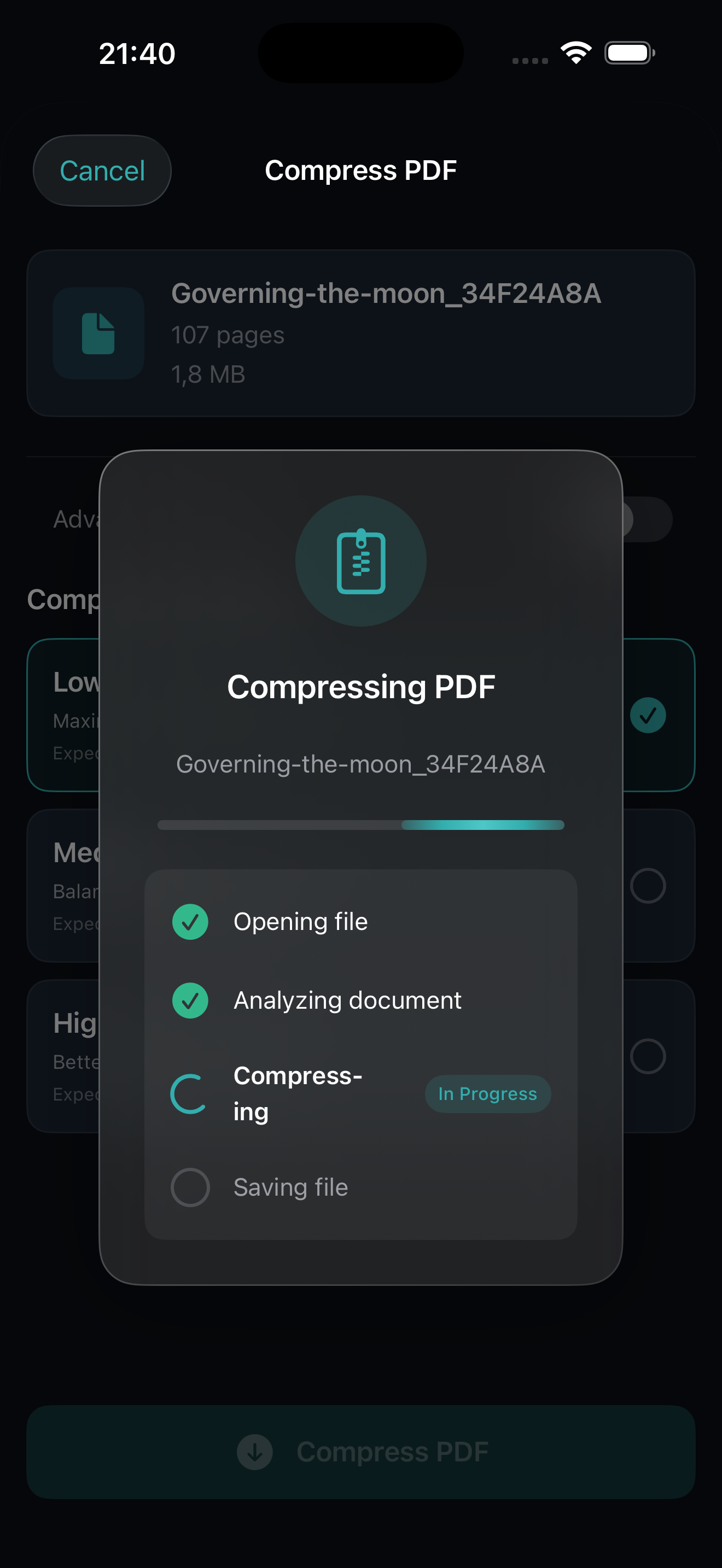
A beautiful, intuitive interface designed for efficiency.
Is Mino Private
and Secure?
Unlike cloud-based services, Mino processes everything locally on your iPhone or iPad. Your sensitive documents are never uploaded to any server. Complete privacy, guaranteed.
How Much Does Mino Cost?
One purchase. Forever yours. No subscriptions.
Pay once, use forever. No hidden fees.
- Unlimited PDF compression
- All three quality presets
- Built-in PDF viewer
- Share extension included
- All future updates
- No ads, no tracking

Ready to Shrink Your PDFs?
Join thousands who compress their documents with complete privacy using Mino.